 PadlessBox
How to Play Browser Multiplayer Games on Your Phone (No Installation Required)
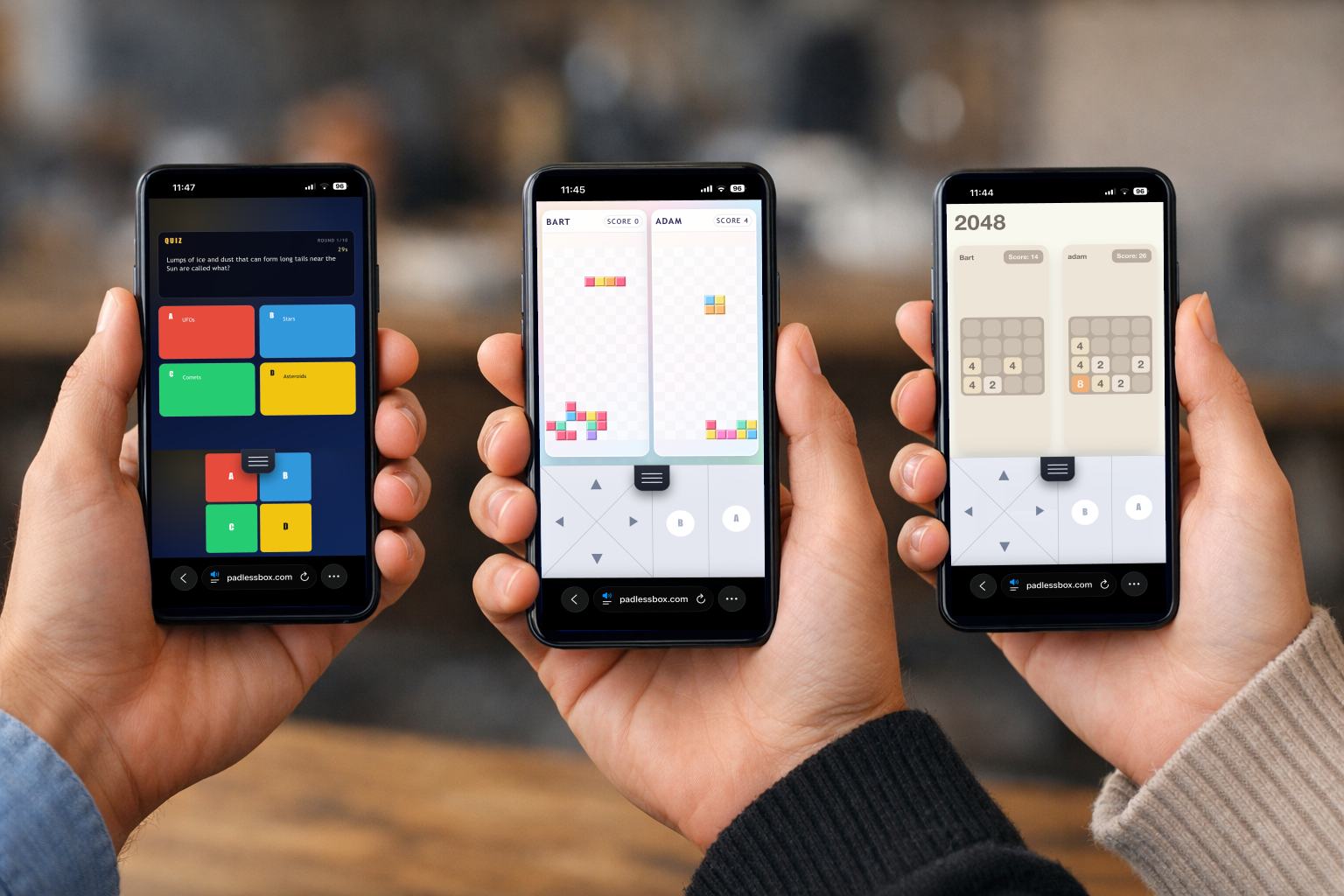
Playing multiplayer games with friends on your phone no longer requires downloading apps, creating accounts, or dealing with updates. In 2026, you can play browser multiplayer games on your phone without installing anything directly from your mobile browser.
Whether you want to play with 2 players or a group of up to 6 people, browser-based games make it possible to start instantly using just a link or QR code. This makes them one of the fastest ways to play multiplayer games on iPhone and Android.
In this guide, you'll learn how to play browser multiplayer games on your phone step by step, including how to set up a session where each player uses their own phone as a full gaming device -- no shared screen required.
What are browser multiplayer games on mobile?
Browser multiplayer games are games that run directly in your mobile browser (Chrome, Safari, and similar browsers), without installation.
Instead of downloading apps, you simply:
- Open a link
- Join a game room
- Start playing instantly
Key benefits of browser multiplayer games
- No installation required
- Works on iPhone and Android
- No accounts or login needed
- Instant access via link or QR code
- Perfect for quick multiplayer sessions
Two ways to play multiplayer games on your phone
There are two main ways to play multiplayer games on mobile. Understanding this helps you choose the right setup.
1. Shared screen and phones as controllers
How it works:
- The game runs on a TV, laptop, or projector
- Each player uses their phone as a controller
- Everyone looks at one shared screen
Best for:
- Parties
- Large groups
- Living room gaming
2. Each phone is a separate screen (remote multiplayer)
This is the most flexible and beginner-friendly option.
How it works:
- Each player joins from their own phone
- Each phone displays the game
- Everyone plays together in the same session
Best for:
- 1 to 6 players
- Quick games with friends
- Travel, school, or casual play
- Situations without a TV or shared screen
How to play browser multiplayer games on your phone step by step
Follow these steps to start playing multiplayer games instantly.
Step 1: Open a browser multiplayer game
Choose a game that works directly in your browser.
These games:
- Load instantly
- Require no download
- Are optimized for mobile multiplayer
Step 2: Create a game room (remote mode)
To play on separate phones, you need to:
- Create a room in remote mode
- Enable multiplayer where each player has their own screen
- Use a session with 1 to 6 players
Once the room is created, you will get:
- A QR code
- Or a join link
Step 3: Share the link or QR code
Invite your friends by sending them:
- The join link
- Or the QR code
Each player opens it on their phone.
Step 4: Join the same room (remote mode)
All players must:
- Join the same room
- Use remote mode
Once connected:
- Each player gets their own screen
- Each phone becomes a full controller and game display
There is no need for:
- A shared screen
- App installation
- Account setup
Step 5: Start playing instantly
As soon as everyone joins:
- The game starts immediately
- All players interact in real time
This makes browser multiplayer perfect for quick sessions, spontaneous gaming, and low-friction multiplayer.
Why browser multiplayer games are so popular
Traditional mobile multiplayer games often require installation, updates, and user accounts.
Browser-based platforms such as PadlessBox and newer solutions remove these barriers.
Advantages of multiplayer games without installation:
- Instant start
- No setup required
- Works across all devices
- Easy to share with friends
Because of this, multiplayer games without installation is a rapidly growing search trend.
When to use browser multiplayer on phone
This setup is ideal when:
- You want to play with friends instantly
- You do not want to download apps
- You are using different devices (iPhone and Android)
- You need a fast, casual multiplayer game
Common use cases
- Hanging out with friends
- School breaks
- Traveling (train, bus, plane)
- Quick party games
Final thoughts
Playing browser multiplayer games on your phone is one of the easiest ways to enjoy games with friends today. With no installation, no accounts, and instant access, you can start playing in seconds.
If you want the simplest setup, use games that support remote multiplayer mode, where each player uses their own phone as a complete gaming device for small groups of 1 to 6 players.
Ready to try it now? Open https://padlessbox.com/create-room and start a room.