 PadlessBox
Best Games to Play on a Projector With Friends (2026 Guide)
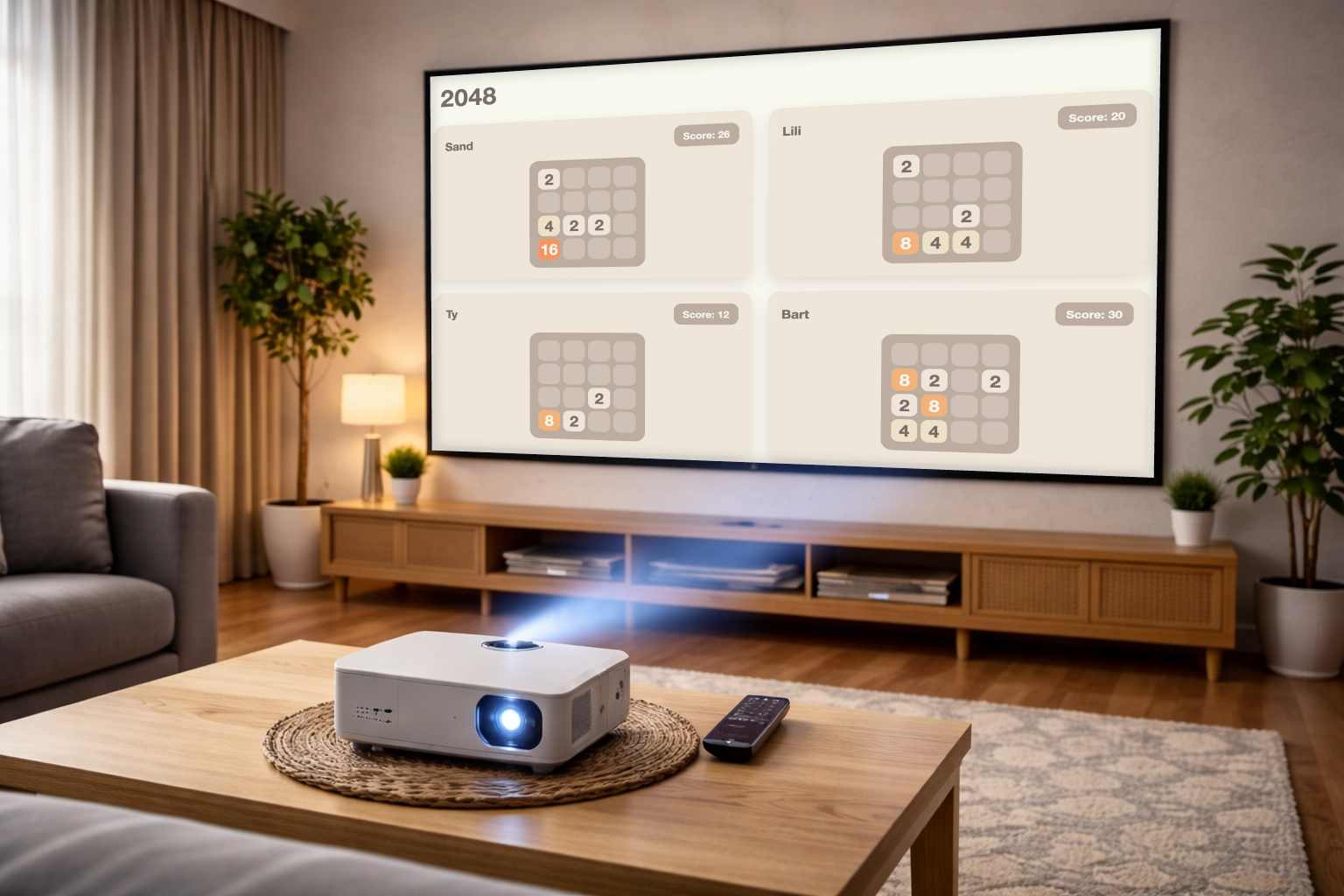
Projectors can turn any living room, backyard, or party space into a huge shared gaming screen. Instead of everyone looking at their own phone or laptop, a projector lets the entire group focus on the same screen and react together.
That is why projector game nights have become increasingly popular for house parties, casual hangouts, and game nights with friends.
The best projector games are easy to learn, support multiple players, and let everyone join quickly. Modern browser-based party games make this even easier because players can use their phones as controllers.
Below are some of the best games to play on a projector with friends, all available in PadlessBox and designed for fast multiplayer fun.
What Makes a Good Projector Party Game
Not every game works well on a big screen. The best projector games usually have a few things in common:
- Simple rules so new players can join quickly
- Fast rounds that keep the group engaged
- Multiplayer support for several players at once
- Phone controllers so players do not need extra hardware
PadlessBox games are designed for exactly this setup: the game runs on the big screen while players interact using their phones.
Best Games to Play on a Projector With Friends
Snake - Competitive Snake on the Big Screen
Snake becomes much more chaotic and fun when multiple players compete at the same time.
Each player controls their own snake using their phone while trying to survive as long as possible on the shared screen. Fast rounds and simple controls make it perfect for projector sessions.
Rock Paper Scissors - Instant Party Rounds
Rock Paper Scissors becomes a quick multiplayer battle when played with several friends.
Rounds are extremely fast, making it a great warm-up game at the beginning of a game night or between longer games.
Tic Tac Toe Fast - Reflex Multiplayer Tic Tac Toe
This is not the traditional slow Tic Tac Toe.
Players must react quickly and place their moves before opponents block them. Because multiple players can compete, matches become surprisingly intense on a big screen.
Quiz - Trivia Battles With Phones as Buzzers
Trivia games work especially well on projectors because everyone can see the questions clearly.
Players use their phones as buzzers to answer questions quickly, turning the game into a fun and competitive trivia battle.
Memory - Test Your Memory With Friends
Memory becomes more exciting when multiple players try to remember card positions on the same board.
The big screen makes it easy for everyone to watch the board while players take turns trying to match pairs.
2048 - Competitive Puzzle Challenge
2048 is a classic puzzle game where players combine tiles to reach the number 2048.
When several players compete simultaneously, it becomes a fun race to see who can build the highest score first.
Brickfall - Tetris-Style Puzzle Action
Brickfall is inspired by classic block-stacking games like Tetris.
Players drop and rotate blocks while trying to complete lines and avoid filling the screen. The fast gameplay makes it great for competitive rounds during projector game nights.
Sliding Puzzle - Race to Solve the Grid
Sliding puzzles challenge players to rearrange tiles and complete the image or pattern as fast as possible.
With multiple players competing at once, it becomes a race that keeps everyone focused on the big screen.
Block Puzzle - Drop Blocks and Beat High Scores
Block Puzzle is another satisfying puzzle challenge where players place blocks strategically to clear rows and score points.
Simple mechanics make it easy for new players to jump in during a projector game session.
How to Play PadlessBox on a Projector
Setting up PadlessBox on a projector takes less than a minute.
- Open PadlessBox in a web browser on your laptop or computer.
- Connect your laptop to the projector or TV with HDMI or wireless screen sharing.
- Display the game screen on the projector.
- Players join the game using their phones.
- Start playing together on the big screen.
Because everything runs in the browser, no downloads or special controllers are required.
Tips for Hosting a Projector Game Night
Use Fast Wi-Fi for All Players
For the smoothest experience, everyone should connect to the same fast Wi-Fi network. Mobile data can work, but Wi-Fi usually provides lower latency and more stable gameplay.
Use a Laptop or Computer as the Host Screen
Running PadlessBox from a laptop connected to the projector is usually the easiest and most reliable setup.
Place the Projector Screen Where Everyone Can See It
Arrange seating so every player has a clear view of the big screen. Party games work best when everyone can follow the action together.
Explain How PadlessBox Works Before Starting
Before starting the first round, quickly explain that the main game appears on the big screen while players use their phones as controllers. This helps new players join quickly and avoids confusion.
Final Thoughts
Projector games are one of the best ways to turn a simple gathering into a fun multiplayer experience. A large shared screen makes every reaction, victory, and mistake more entertaining for the whole group.
With browser-based party games like PadlessBox, hosting a projector game night is easier than ever. All you need is a projector, a laptop, and a group of friends ready to play.
Start a room now at PadlessBox create room.